
It's late, the filing deadline is tomorrow, and a clerk is renumbering an index in Word for the third time. The scanned annexures have just been merged in, and every page range after them has moved. If one number is wrong, the Registry objects and the bundle comes back.
PetitionOS exists to make that night unnecessary. It is Tavra Labs' own product: we ran the feasibility study, designed it, built it and now operate it with an invite-only group of advocates and clerks. This is how we approached it, and why it's built the way it is.
The problem: why Word fails here
A High Court filing isn't one document. It's a bundle: an index, synopsis, memorandum, verifying affidavit, interlocutory applications with their own index and affidavit, a memorandum of appearance, the vakalath and scanned annexures. Each part has to agree with the others, and all of it has to follow a formatting spec.
- Cause titles drift. When parties are added or reordered, every document repeating the cause title has to change in step.
- The index must be true. It lists the real page ranges of a bundle that only exists once the scans are merged.
- Layout rules are strict. Sections start on odd pages and page numbers run continuously across the whole bundle.
- Files have a size limit. E-filed PDFs must stay under 20 MB.
- The spec is explicit. Karnataka E-filing Rules 2021, Rule 6, sets the page and formatting requirements.
Word can produce any single page correctly. What it can't do is keep a whole bundle consistent while the facts and the scans keep changing. That gets done by hand, under deadline.
The constraints we accepted
- Privacy: case data never leaves the user's machine.
- Determinism: no AI writing. The same facts always produce the same pages.
- The bar: pass Registry scrutiny the first time.
- Users: advocates and clerks on desktop browsers, working under deadline pressure.
- Budget: about one month to an MVP.
These constraints ruled out most of the obvious designs before any code was written. That's the point of writing them down first.
Feasibility before code
Before the first commit, we wrote a feasibility report. Every claim in it carries a label saying how much it can be trusted:
- Verified
- Secondary source
- Convention
- Vendor claim
The verdict was a conditional GO, with three named checks that had to pass before building. The competitor scan found cloud tools for AI drafting, but nothing built for layout compliance or assembling the full bundle. That gap is where PetitionOS sits.
Labelling evidence takes a little longer, but it means you never start a build on a claim you haven't checked.
Architecture
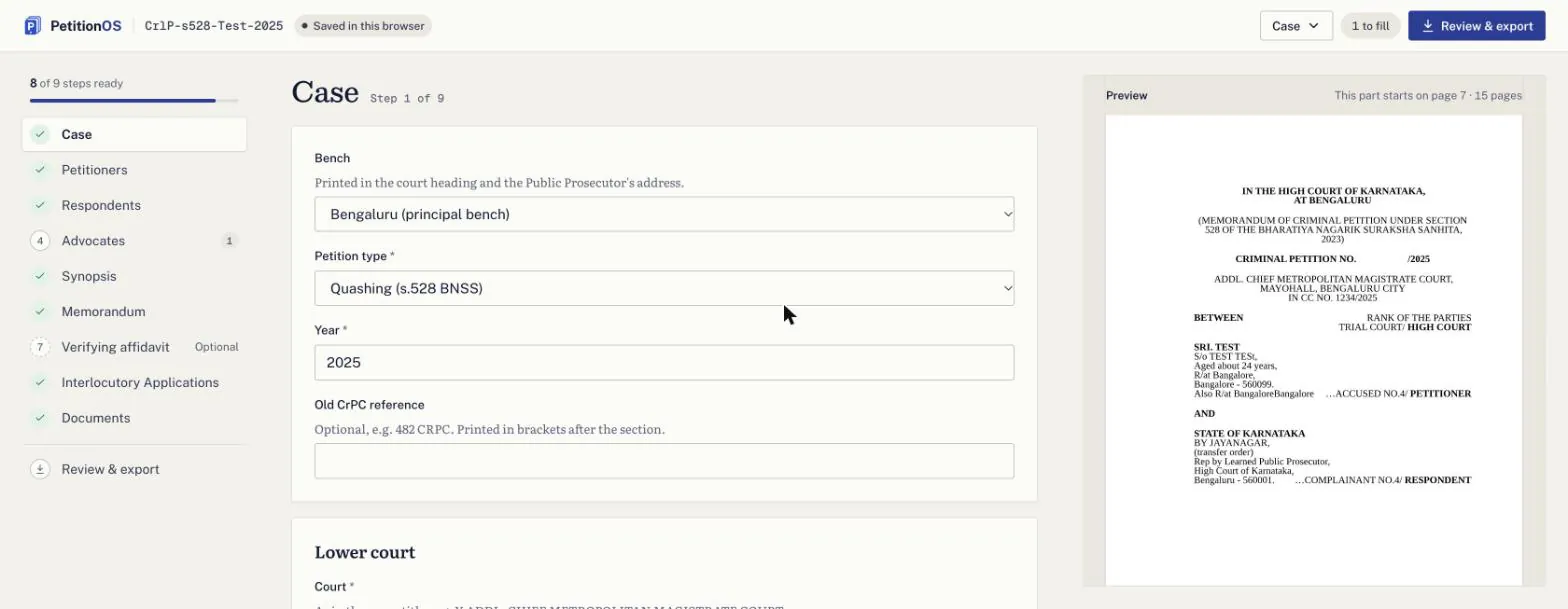
Everything that touches case data runs in the browser. The case form produces structured data, and a Typst compiler running as WebAssembly in a Web Worker turns it into pages. The same output drives a live page-by-page preview and the PDF sections. pdf-lib then merges those sections with the user's scanned uploads into one numbered filing PDF, split to stay under the size limit. IndexedDB autosaves the project, and a portable .petos file lets users move it between machines.
Two properties come straight from this design. Case data reaches the layout engine only as JSON data, never as template code, which rules out template injection. And because rendering never leaves the browser, there is no server-side case data to protect, leak or subpoena.
Key decisions and trade-offs
Typst over Word, LaTeX or HTML-to-PDF
- Options
- Generate DOCX, typeset with LaTeX, or print HTML to PDF.
- Choice
- Typst, compiled to WebAssembly.
- Why
- Precise, programmable layout that compiles fast enough for a live preview and runs in the browser.
- Cost
- A younger ecosystem than LaTeX, so more of the layout logic is our own.
Browser-only over server rendering
- Options
- Render on a server, or render on the user's machine.
- Choice
- Everything in the browser.
- Why
- Privacy is enforced by the architecture, not by a policy document.
- Cost
- A heavier first load, because the WASM compiler ships to the browser.
Deterministic layout over AI drafting
- Options
- Generate filing text with a language model, or lay out facts the user provides.
- Choice
- Deterministic layout. The user owns every word.
- Why
- Courts need predictability. The same facts must always produce the same pages.
- Cost
- Less novelty to market. We think trust is the better feature here.
Liberation Serif over Times New Roman
- Options
- License Times New Roman for web use, or find an equivalent.
- Choice
- Liberation Serif.
- Why
- It's metric-compatible with Times New Roman, so it meets the rules without licensing issues.
- Cost
- Very little. Line breaks and page counts match.
The hard part: an index that numbers the bundle it sits inside
The index is the first section of the bundle, and its job is to list the page range of every other section. That makes it circular. The index takes up pages itself, so its own length decides where everything after it starts.
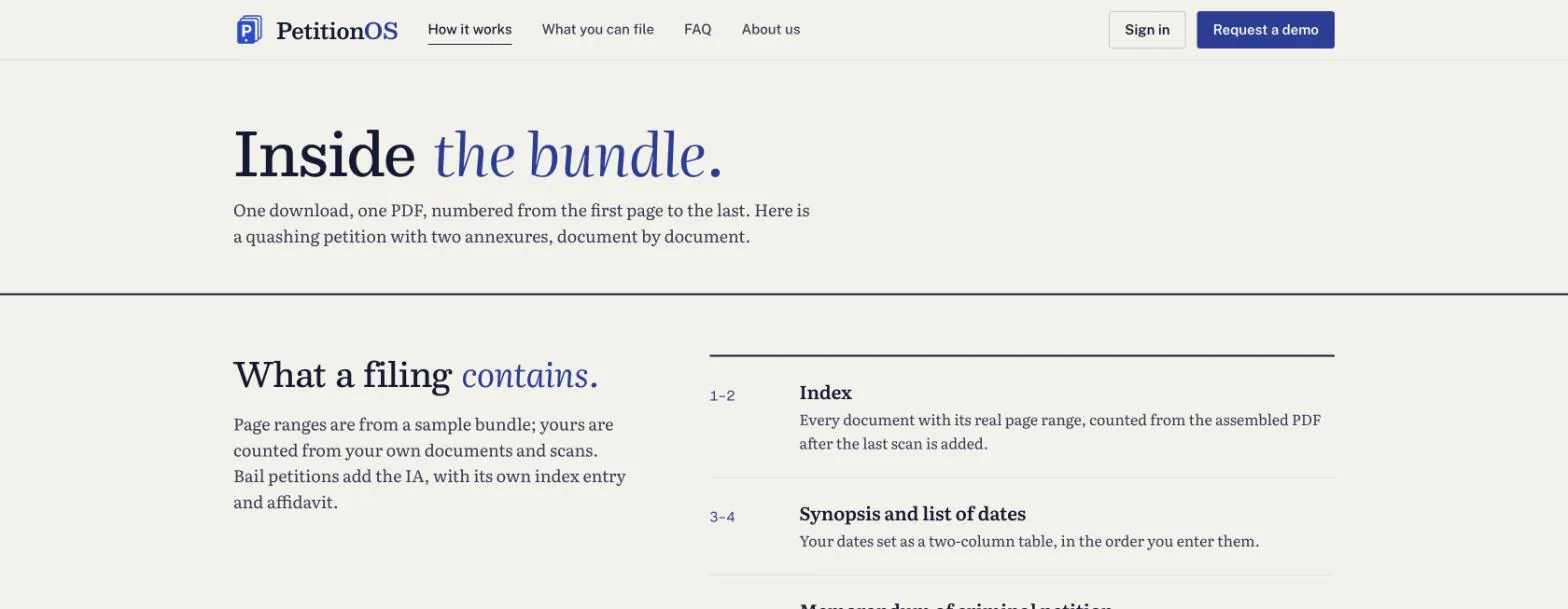
Two more rules make it harder. Each section must start on an odd page, so a section ending on an odd page gets a blank page after it, and one change early in the bundle can add or remove blanks further down. And the scanned annexures, often the largest part, only have a known page count once the user uploads them.
So the layout has to settle. PetitionOS lays the bundle out, measures where each section actually lands, writes those ranges into the index, and lays it out again. It repeats across passes until the page numbers stop changing. Because the layout is deterministic, it settles to the same answer every time, and the preview the user sees is the bundle they file.
Learning from real filings
The rules on paper are only half the spec. The other half is how filings that actually pass scrutiny are laid out. We turned real chamber filings into a written template spec; none of their case content is published or kept in the product.
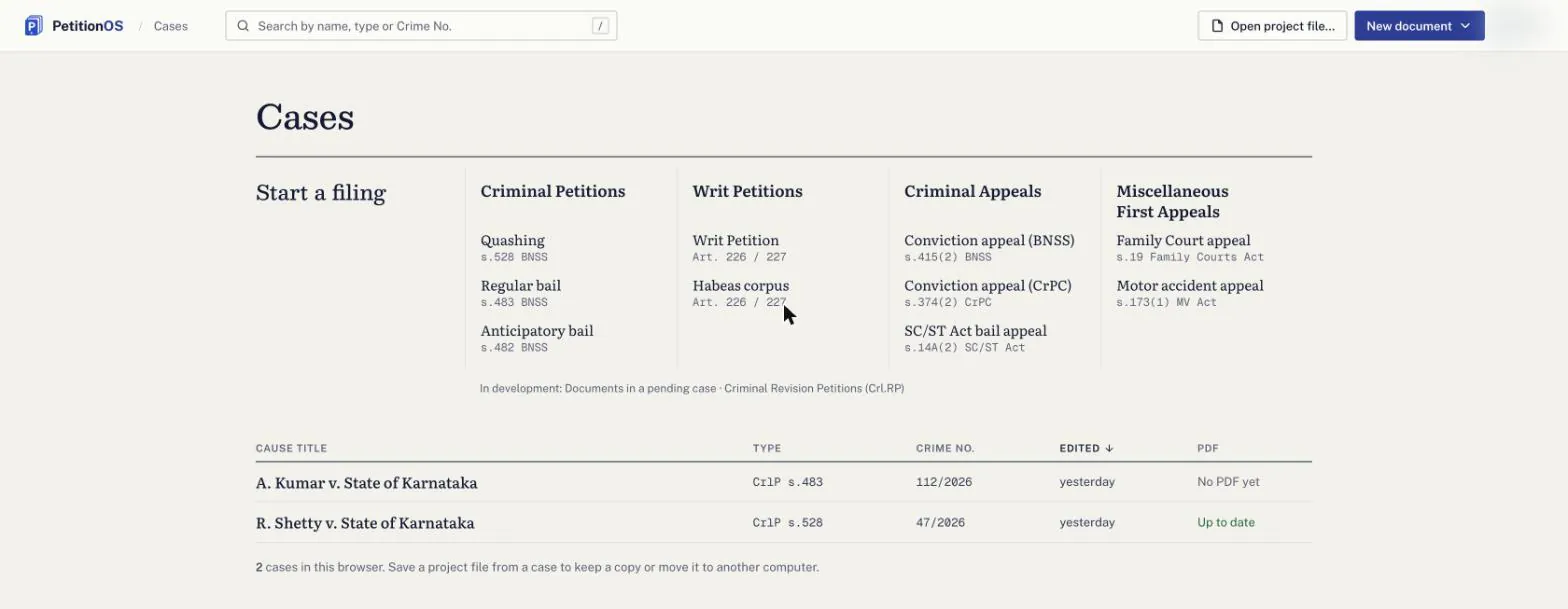
The product started with three kinds of criminal petition: s.528 quashing, s.483 bail and s.482 anticipatory bail. It has since grown to Writ Petitions, Habeas Corpus, Criminal Appeals and Miscellaneous First Appeals. A scaffold script makes adding a new filing type a repeatable step, not a one-off build.
Security and privacy
- Invite-only access through an allowlist.
- Google sign-in with signed sessions, and one active session per account.
- Spam protection on enquiries.
- No case data stored on any server.
Results so far
- About two weeks from feasibility report to pilot, and about 10 days from first commit.
- Five filing families live in the pilot.
- Output checked against real filings.
We're measuring minutes per bundle and the first-time scrutiny pass rate during the pilot. We'll publish those numbers when we have them, and not before.
What's next
Criminal Revision Petitions are in development, and more filing types follow the same scaffold. The pilot will decide what comes after that.
What this means for your product
The pattern behind PetitionOS carries over: regulated documents, a privacy-first architecture, rules turned into software, and a feasibility study before any code. If your product has constraints like these, talk to the engineers who'll build it.